Managing Medicare Advantage Prescription Drug (MAPD) enrollment can involve multiple steps, detailed information, strict processes, and careful documentation. For health plans, agents, brokers, and enrollment teams, handling these tasks manually can take significant time and increase the risk of errors.
This is where MAPD enrollment software can provide valuable support. A dedicated digital solution can help organizations organize enrollment information, streamline workflows, improve data accuracy, and make it easier for teams to manage applications from start to finish.
As healthcare and insurance operations become increasingly digital, having an efficient enrollment process can help organizations provide a better experience for both employees and beneficiaries.
What Is MAPD Enrollment Software?
MAPD enrollment software is a technology solution designed to support the enrollment process for Medicare Advantage Prescription Drug plans. It can help organizations collect applicant information, manage enrollment applications, track workflow progress, and maintain relevant records.
Instead of relying on paper forms, spreadsheets, emails, and disconnected systems, enrollment teams can use a centralized platform to manage important information.
Depending on the solution, features may include digital enrollment forms, workflow automation, application tracking, document management, validation tools, reporting, and integrations with other systems.
Why Is Efficient MAPD Enrollment Important?
Enrollment is a critical part of the Medicare Advantage process. Small mistakes or missing information can create additional work and potentially delay processing.
Reduce Manual Work
Traditional enrollment processes may require employees to enter the same information into multiple systems. Automation can reduce repetitive administrative tasks and allow staff to focus on more important responsibilities.
Improve Data Accuracy
Digital enrollment workflows can help identify missing or inconsistent information before an application moves forward. This can reduce avoidable data-entry errors and improve the quality of enrollment records.
Improve Application Tracking
With MAPD enrollment software, teams can have greater visibility into application status. Instead of searching through emails or physical files, authorized users can check where an application is within the workflow.
Key Features of MAPD Enrollment Software
The right software should provide features that address the specific needs of an organization's enrollment operations.
Digital Enrollment Forms
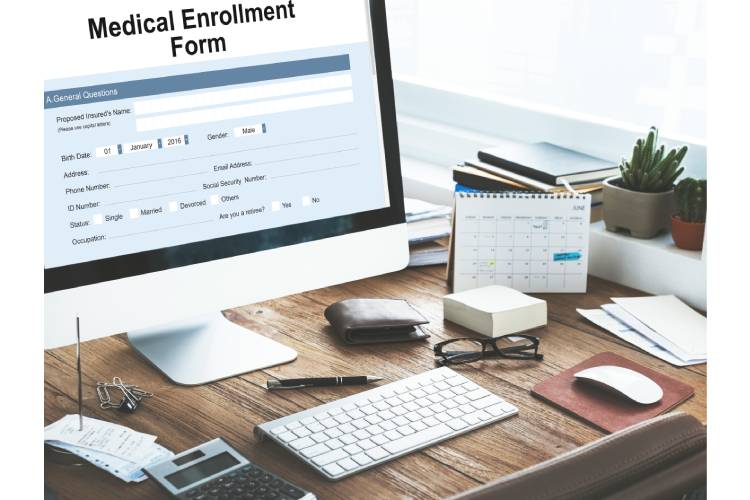
Digital forms allow applicants or authorized representatives to provide required information electronically. This can make the process more convenient and reduce dependence on paper documentation.
Workflow Automation
Automation can help route applications to the appropriate teams, trigger reminders, and support standardized processing steps. This can make the enrollment process more consistent.
Application Status Tracking
Enrollment teams can use status tracking to identify applications that are completed, pending, require additional information, or need review.
Document Management
A centralized system can make it easier to organize enrollment-related documents and records. Employees can spend less time searching for information and more time processing applications.
Reporting and Analytics
Reporting tools can provide insights into enrollment volumes, application status, processing activity, and other operational metrics. These insights can help managers identify bottlenecks and improve workflows.
How MAPD Enrollment Software Benefits Insurance Organizations
Implementing MAPD enrollment software can provide several operational advantages when properly configured and integrated into an organization's processes.
Faster Processing
Automated workflows can reduce unnecessary manual steps. When information is captured digitally and routed efficiently, enrollment teams may be able to process applications more quickly.
Better Team Collaboration
A centralized system can give authorized employees access to the information they need. This can make communication between enrollment, customer service, compliance, and administrative teams more efficient.
Improved Beneficiary Experience
A simpler enrollment process can make it easier for applicants to understand what information is required and complete their applications. Digital workflows can also provide clearer status updates when supported by the platform.
Easier Record Management
Keeping enrollment information in an organized digital environment can make records easier to retrieve and manage. This can be particularly useful for organizations handling a large volume of applications.
Choosing the Right MAPD Enrollment Software
Not every organization has the same enrollment requirements. Before selecting a platform, businesses should evaluate their current workflow and identify areas where manual processes create delays or errors.
Consider Integration Capabilities
The software should work effectively with the organization's existing technology environment where appropriate. Integration capabilities can help reduce duplicate data entry and improve information flow between systems.
Evaluate Security and Privacy
Enrollment information can contain sensitive personal and health-related data. Organizations should carefully evaluate security controls, access management, data protection, and applicable compliance requirements before selecting a software solution.
Look for Scalability
Enrollment volumes can change over time, particularly during busy enrollment periods. A scalable platform should be capable of supporting increased workloads without creating unnecessary operational challenges.
Prioritize Ease of Use
Even a feature-rich platform may not deliver strong results if employees find it difficult to use. A straightforward interface, clear workflows, training resources, and reliable support can help teams adopt the system more effectively.
MAPD Enrollment Software and Workflow Automation
One of the biggest advantages of enrollment technology is the ability to automate repetitive processes. For example, software may help organize incoming applications, identify incomplete information, notify employees about pending tasks, and maintain workflow records.
Automation does not eliminate the need for trained professionals. Instead, it can give enrollment teams better tools for managing their responsibilities and reduce the amount of time spent on routine administrative work.
Best Practices for Implementing Enrollment Software
Successful implementation requires more than simply purchasing a software platform.
Organizations should first map their existing enrollment workflow and identify opportunities for improvement. Employees who work directly with applications should also be involved in the implementation process because they understand common challenges and practical requirements.
Training is another important consideration. Staff should understand how to use the system, follow standardized workflows, manage exceptions, and protect sensitive information.
Organizations should also monitor performance after implementation. Reviewing processing times, error rates, application volumes, and user feedback can help identify opportunities for further improvement.
The Future of Digital Enrollment
The insurance industry continues to adopt digital tools to improve administrative efficiency and customer experiences. As organizations process larger volumes of information, automated workflows and centralized platforms are likely to remain important parts of enrollment operations.
Modern MAPD enrollment software can help organizations move away from fragmented manual processes toward more structured and transparent workflows. When combined with appropriate security, compliance practices, and employee training, technology can support a more efficient enrollment environment.
Conclusion
Managing Medicare Advantage Prescription Drug enrollment requires accuracy, organization, and efficient coordination. Manual processes can make these requirements more challenging, particularly for organizations handling large numbers of applications.
MAPD enrollment software can help streamline digital enrollment, organize application information, automate workflows, improve tracking, and support better administrative efficiency. By selecting a platform that fits their operational needs and implementing it carefully, insurance organizations can create a more organized enrollment process.
The right solution should not only address today's enrollment challenges but also provide the flexibility and scalability needed as an organization's operations evolve.
FAQs
1. What is MAPD enrollment software?
MAPD enrollment software is a digital solution designed to help organizations manage Medicare Advantage Prescription Drug enrollment workflows. It can support application processing, information collection, document management, workflow tracking, and reporting.
2. How does MAPD enrollment software improve the enrollment process?
It can reduce repetitive manual tasks, organize application information, automate workflow steps, identify missing information, and provide better visibility into application status. These capabilities can help enrollment teams work more efficiently.
3. Is MAPD enrollment software secure?
Security depends on the specific platform and how it is configured and managed. Organizations should evaluate encryption, access controls, authentication, data protection, audit capabilities, and applicable regulatory and contractual requirements before selecting a solution.
4. Can MAPD enrollment software integrate with existing systems?
Many modern enrollment platforms are designed to integrate with other business and insurance systems. Integration capabilities vary by provider, so organizations should confirm whether a solution supports the systems and data workflows they currently use.
5. What should I look for when choosing MAPD enrollment software?
Important factors include ease of use, workflow automation, application tracking, reporting, document management, integration capabilities, scalability, security, compliance support, and customer service. The best software should align with the organization's specific enrollment workflow and operational requirements.